

Usage Summary Component
The Usage Summary component displays an overview of the customer’s consumption data, including total usage, available balance, and purchase recommendations when necessary.Integration
The
externalCode parameter represents a unique identifier for the user. In many implementations, this is the MSISDN (Mobile Station International Subscriber Directory Number) - the user’s phone number in international format. However, it can be any unique identifier that your system uses to identify users.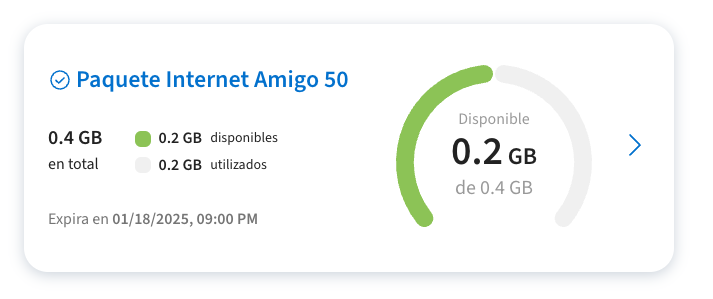
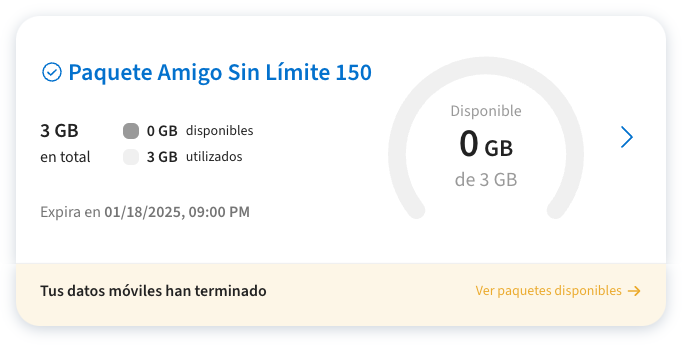
Empty State and Alerts
The component includes built-in states for various scenarios:
Usage Details Component
The Usage Details component provides a detailed breakdown of consumption by product and shows zero-rating/sponsored apps information.Integration
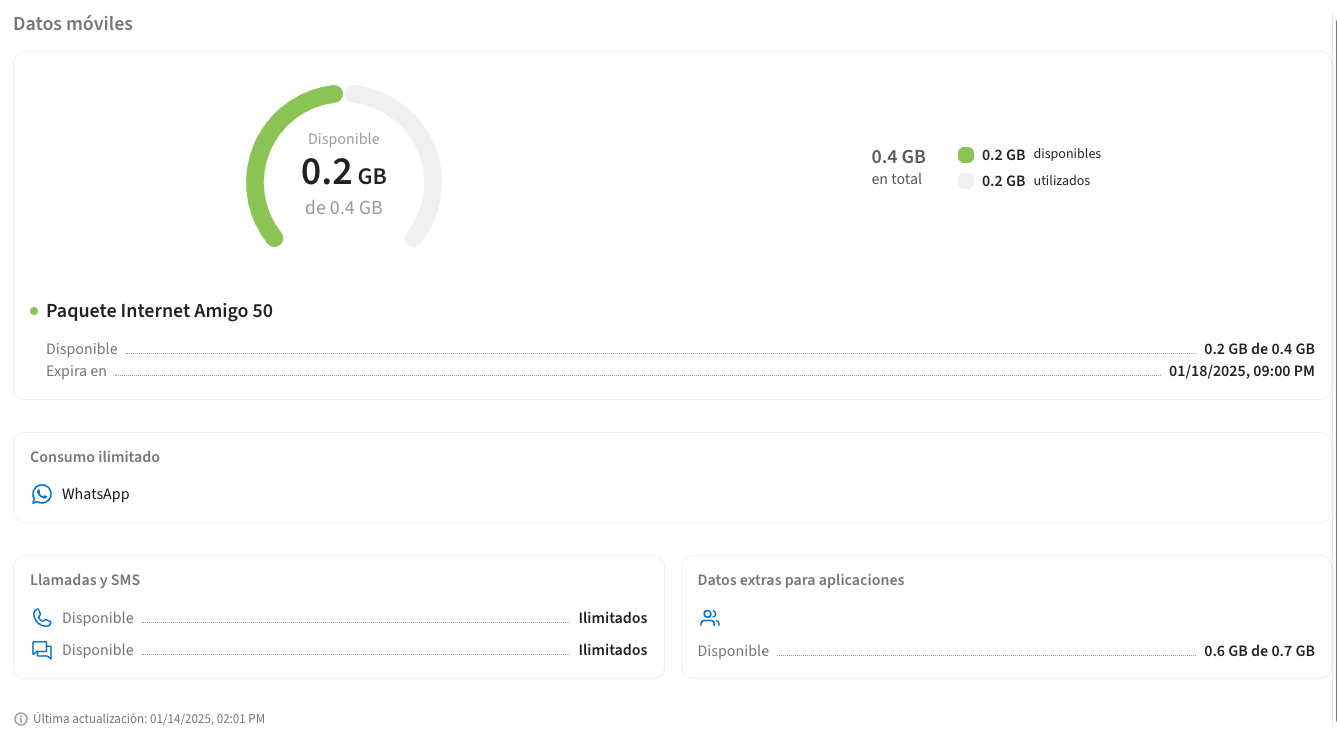
Zero Rating Apps Display

Cache Management
Both components implement server-side caching for improved performance and resilience. This ensures that usage information remains available even when some external mediation services are temporarily unavailable.Cache Behavior
- Default: Components serve cached data when available
- Cache updates automatically in the background
- Cache invalidation follows business rules for data freshness
Forcing Cache Bypass
To bypass the cache and fetch fresh data, addonline=true to the URL:
Customization
The components support extensive customization through the Wave API, allowing you to tailor the user experience to match your brand and requirements.Customizable Elements
The following elements can be customized remotely:-
Text Content
- Labels and headings
- Button text
- Error messages
- Information tooltips
- Success/failure messages
-
Visual Elements
- Primary and secondary colors
- Button styles
- Card backgrounds
- Border colors
- Icon colors
-
Links and Navigation
- CTA button destinations
- External links
- Help/support links
- Terms and conditions URLs
Applying Customizations
Customizations are applied through the Wave API configuration. The components automatically fetch and apply these settings at runtimeDynamic Height Adjustment
All components emit apostMessage event containing the scroll height. This allows for dynamic iframe height adjustment to prevent unwanted scrollbars.
- Initial load
- State changes
- Content updates
- Error messages display