

X-API-Key header. Keys are issued from the Wave Console, per partner — this guide walks through creating one, storing its value, and managing the keys a partner already has.
Create a key
- In the Wave Console, open Parceiros and select the partner the key will act on behalf of.
- Go to the Configurações tab and open Segurança & Acesso. The Chaves de API card lists every key already issued for that partner.
- Click + to open the Criar chave de API dialog.
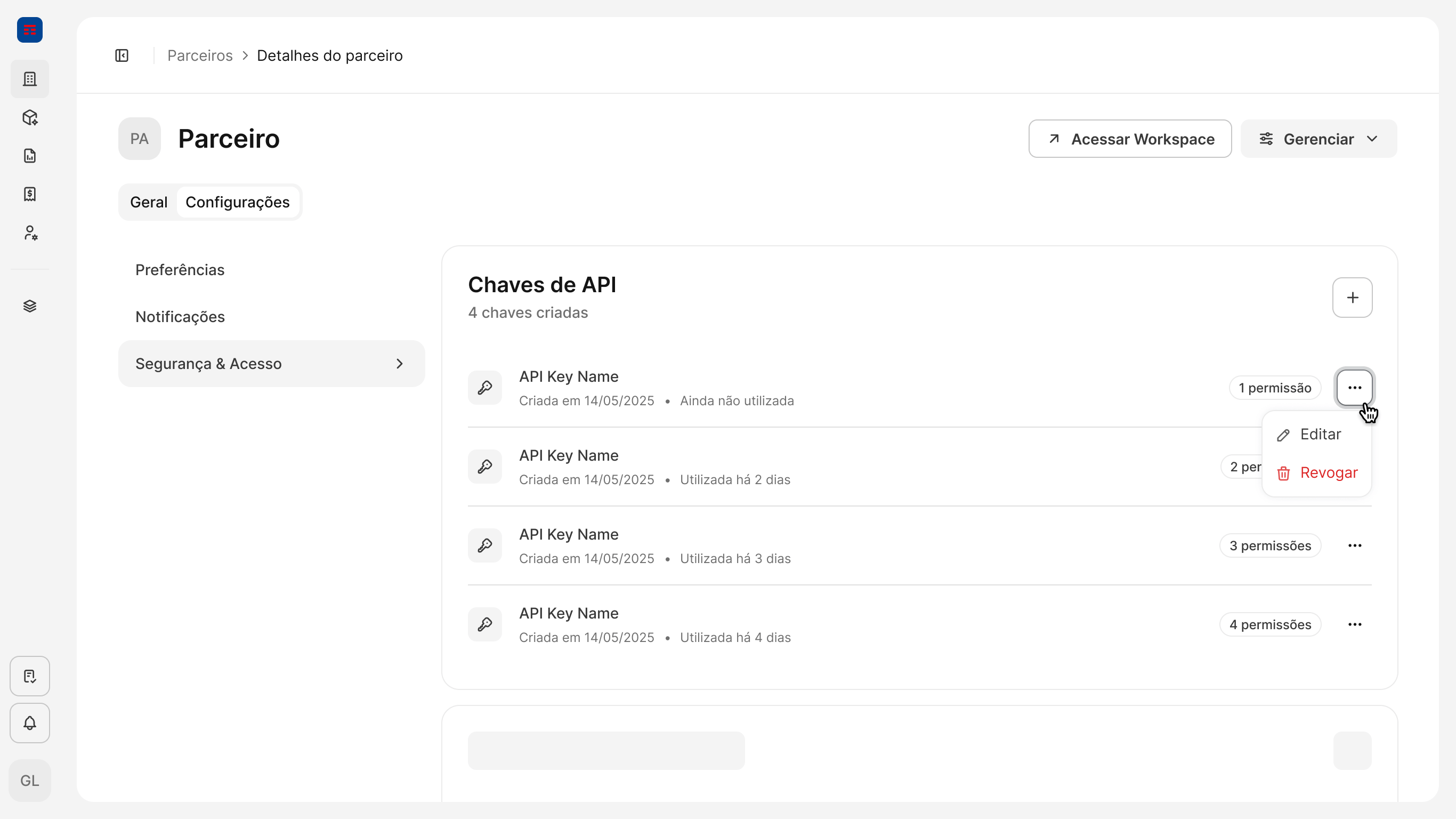
- Fill in the new key:
- Nome da chave — a descriptive name that identifies where the key is used (for example,
Integração ERP — produção). It is only a label, so it can be changed later. - Permissões — pick Acesso completo to grant every permission available to the partner, or Apenas permissões selecionadas to grant only the ones you check. Grant the narrowest set the integration needs — permissions are fixed once the key is created.
- Sem expiração — leave it on for a key that stays valid until it is revoked manually. Turn it off to have the key expire on a date you choose.
- Nome da chave — a descriptive name that identifies where the key is used (for example,
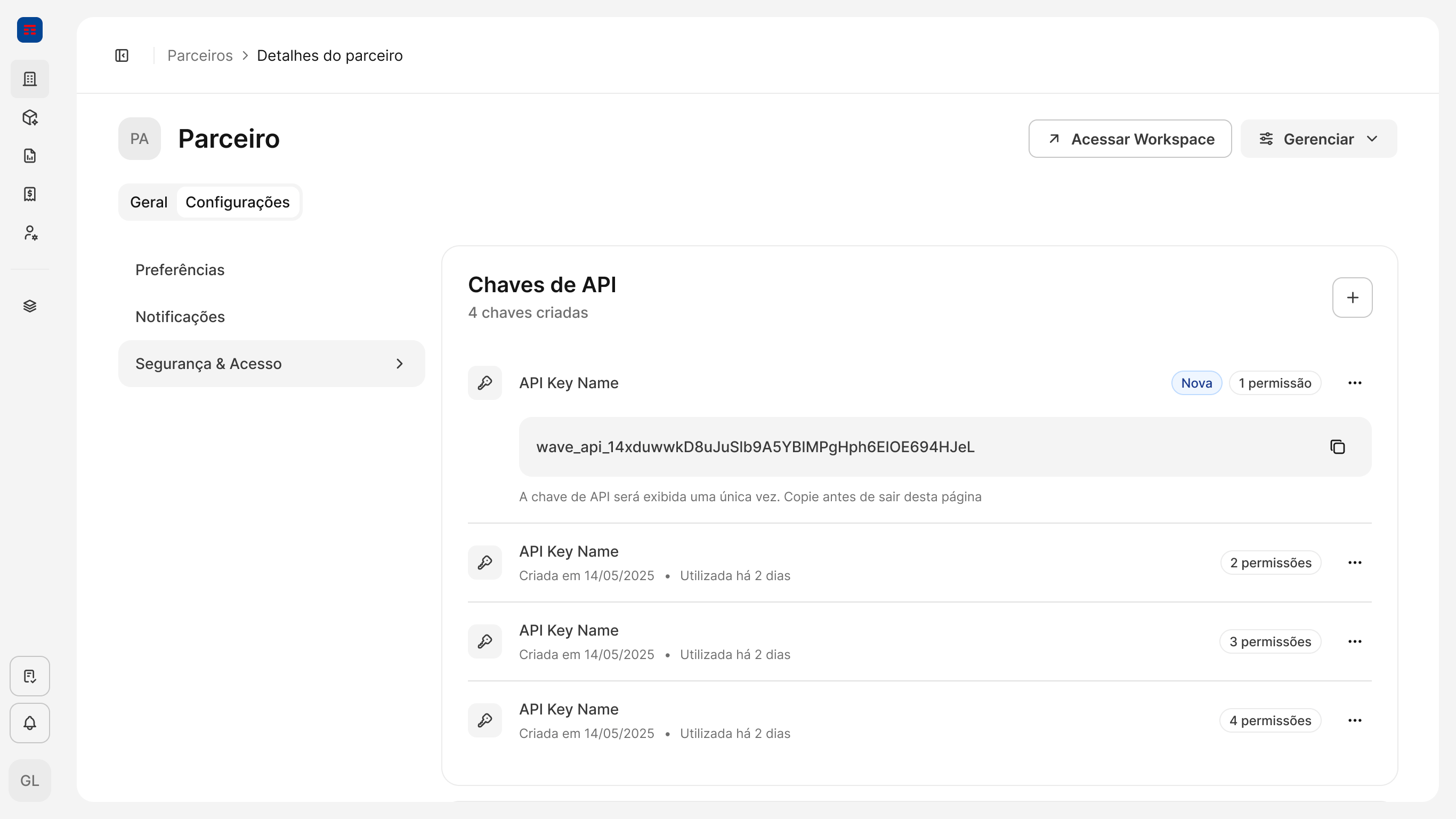
- Click Criar. The new key appears at the top of the list, flagged Nova, with its value shown in full — it starts with the
wave_api_prefix. - Copy the value with the copy button next to it and store it in your secret manager before leaving the page.
Use the key
Send the value as theX-API-Key header on every request:
Manage existing keys
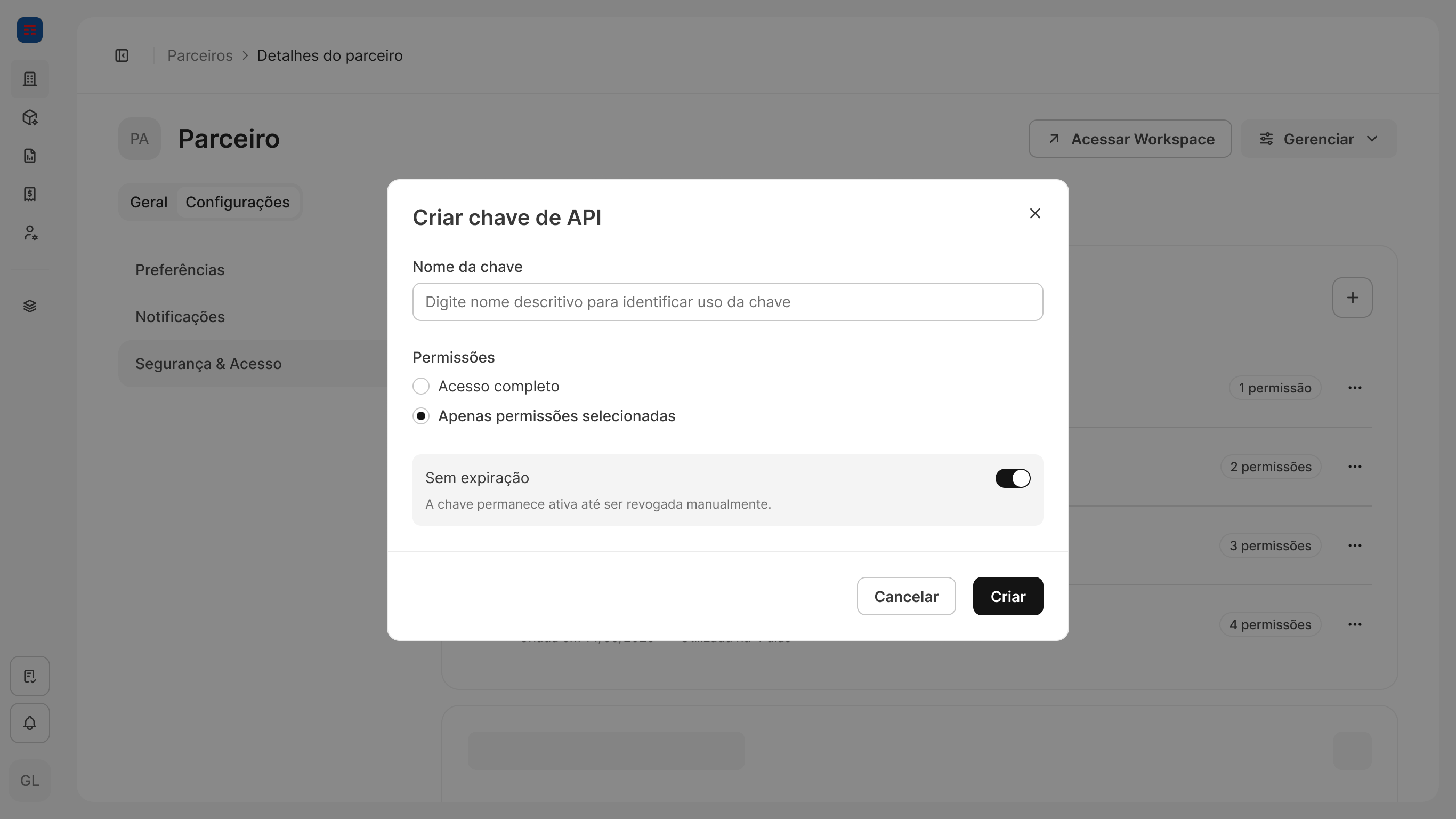
Every key in the Chaves de API list shows when it was created, when it was last used (Ainda não utilizada until the first request comes in), and how many permissions it carries. The … menu on each row has two actions:
- Editar — rename the key. Only the name can be changed; to grant or remove permissions, create a new key with the permissions you need and revoke the old one.
- Revogar — invalidate the key immediately. Requests still sending it start failing with
401 Unauthorized. Revoking cannot be undone; issue a new key to restore access.
Having trouble generating or using an API key? Contact us through our support portal.